Employees
Don’t let work expenses get lost in your bank statement.
Bring work-related expenses and receipts together for review at tax time. Keep personal spending separate and see what still needs evidence.
Organise my work expenses ↗Less sorting. A clearer tax time.
Bring your statements, expenses and receipts together in one simple workflow.
ottiyo™ helps you turn a year of scattered records into an organised accountant handoff. Import statements, tag similar expenses together, match receipts and export the records you need. Less repetitive sorting. A clearer view of what’s ready—and what still needs checking.
Beta access by arrangement · Mac + iPhone companion · Not yet on the App Store
Prepares records for review. Does not lodge a tax return or BAS.

Small steps.
A little more organised.
Find your starting point
Employees
Bring work-related expenses and receipts together for review at tax time. Keep personal spending separate and see what still needs evidence.
Organise my work expenses ↗Sole traders
Group repeat merchants, separate business and personal records, and prepare a clearer accountant handoff for the year or quarter.
Simplify my business paperwork ↗Side income
Create a workspace for your extra income and expenses. Keep receipts with the right records, without starting again each tax year.
Bring my side income together ↗Accountants & bookkeepers
Explore the client-prepared export: tagged transactions, supporting evidence and outstanding checks, ready for your professional review.
Ask about the accountant handoff ↗Personal & household
Bring everyday spending into one view. Use your own tags and workspaces to organise household costs, keep receipts and review recurring items.
Organise my everyday money ↗ottiyo organises records. Tax treatment remains subject to your circumstances and professional review.
One calm workflow.
Import statements on Mac. Add receipt images and PDFs, or capture them on your iPhone.
Review suggested merchant groups, apply your tags and keep moving through the records that need attention.
Match receipts to transactions, check the details and see which records still need attention.
Check the remaining issues and export your records and supporting evidence for your accountant.
ottiyo for Mac
Move through a year of records with merchant grouping, bulk tagging and reusable workspaces. You stay in control of every classification.
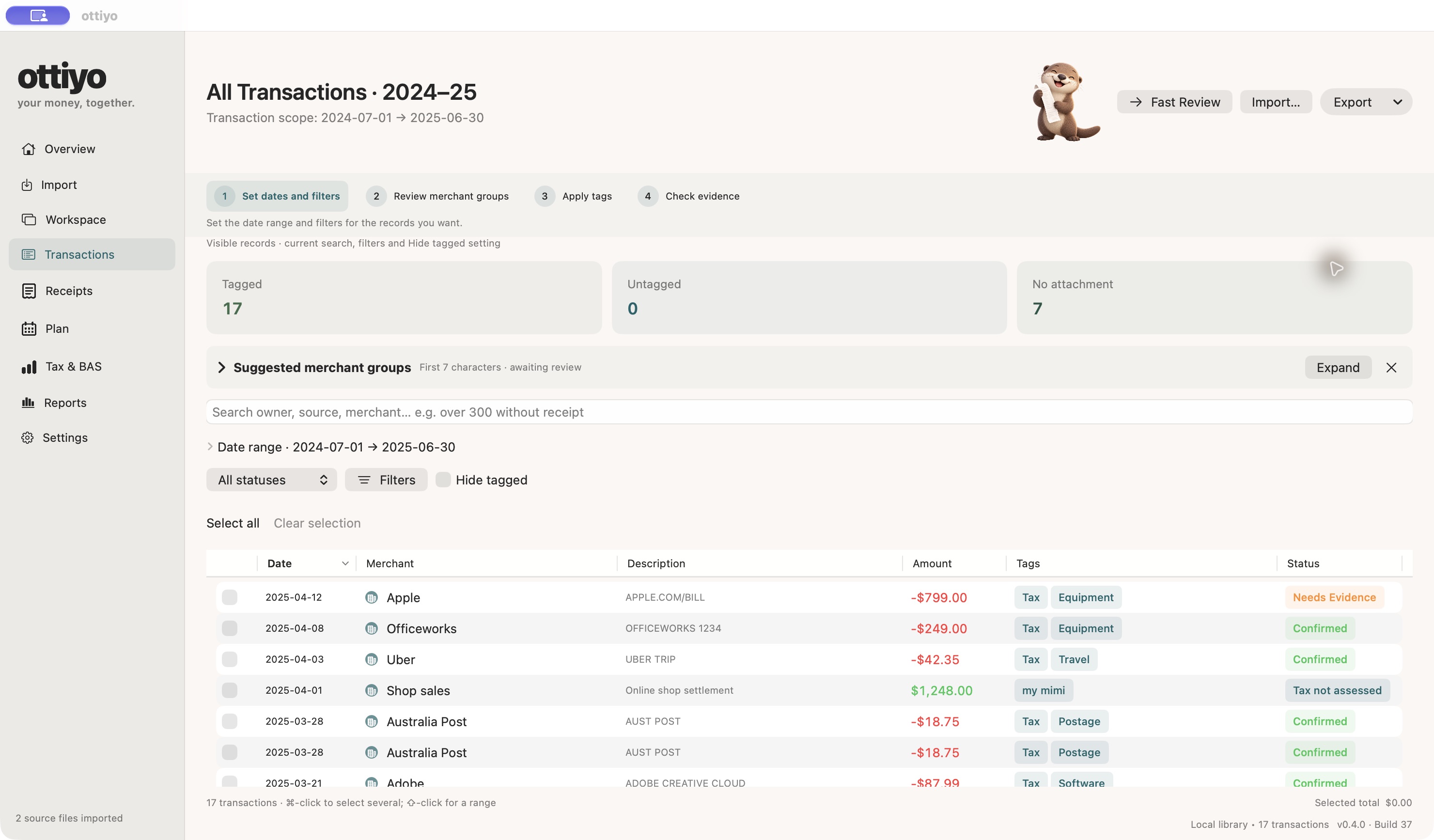
Actual Mac beta screenshots · Build 37 · Fictional demonstration records. Select an image to view it full size.
Combine tags and dates to create a focused dataset without re-entering your transactions.
Keep originals alongside receipt details and match documents to transactions.
Preparation checks surface outstanding items before export. Draft exports keep unresolved issues visible.
New · ottiyo for iPhone
The small companion for the moments away from your Mac.
Scan a receipt, choose a photo or import a PDF. Check the details extracted on your device, add familiar tags and keep the original with the record.
Receipts are saved locally on your iPhone. Mac Build 37 and the iPhone beta exchange files that you choose to share. Automatic iCloud sync is not active; preparing a file does not mean the Mac has received it.
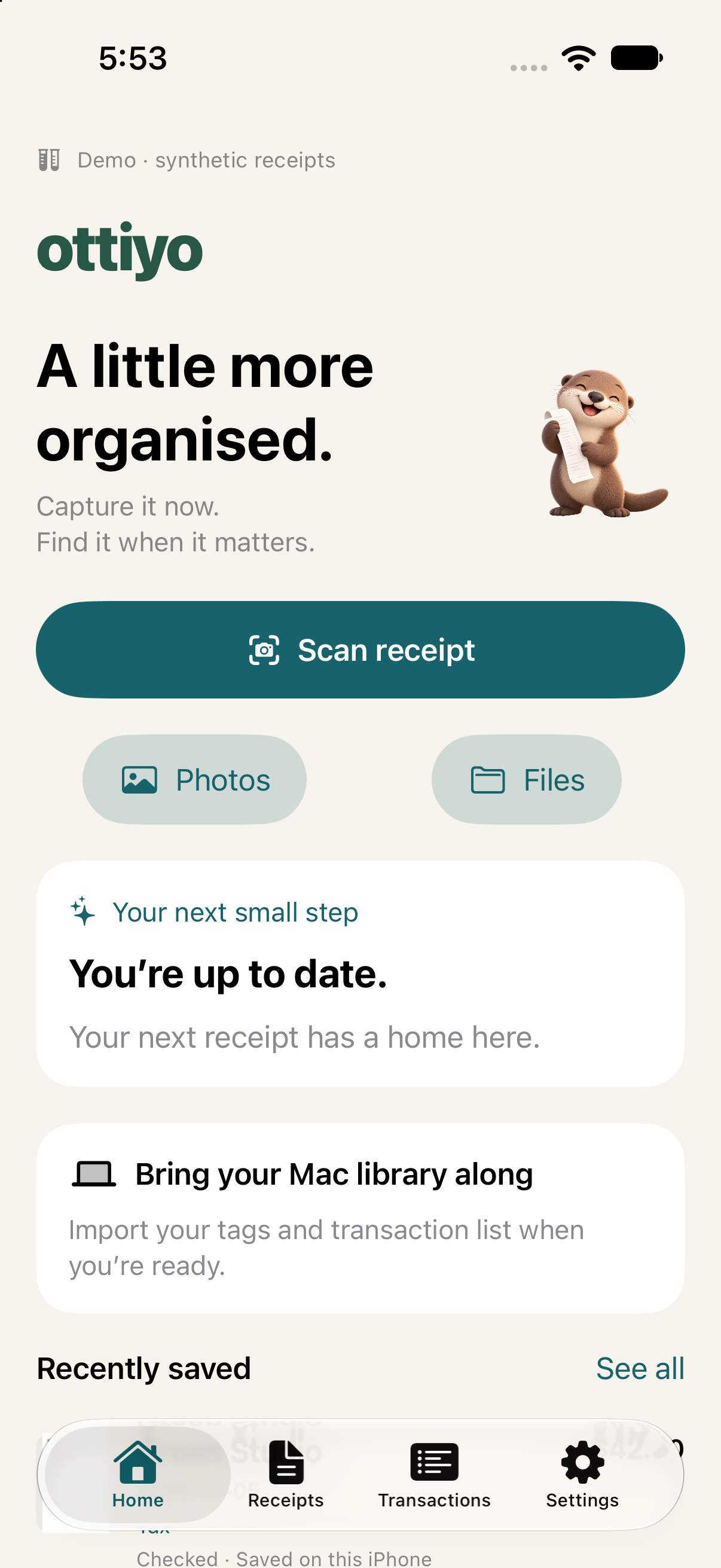
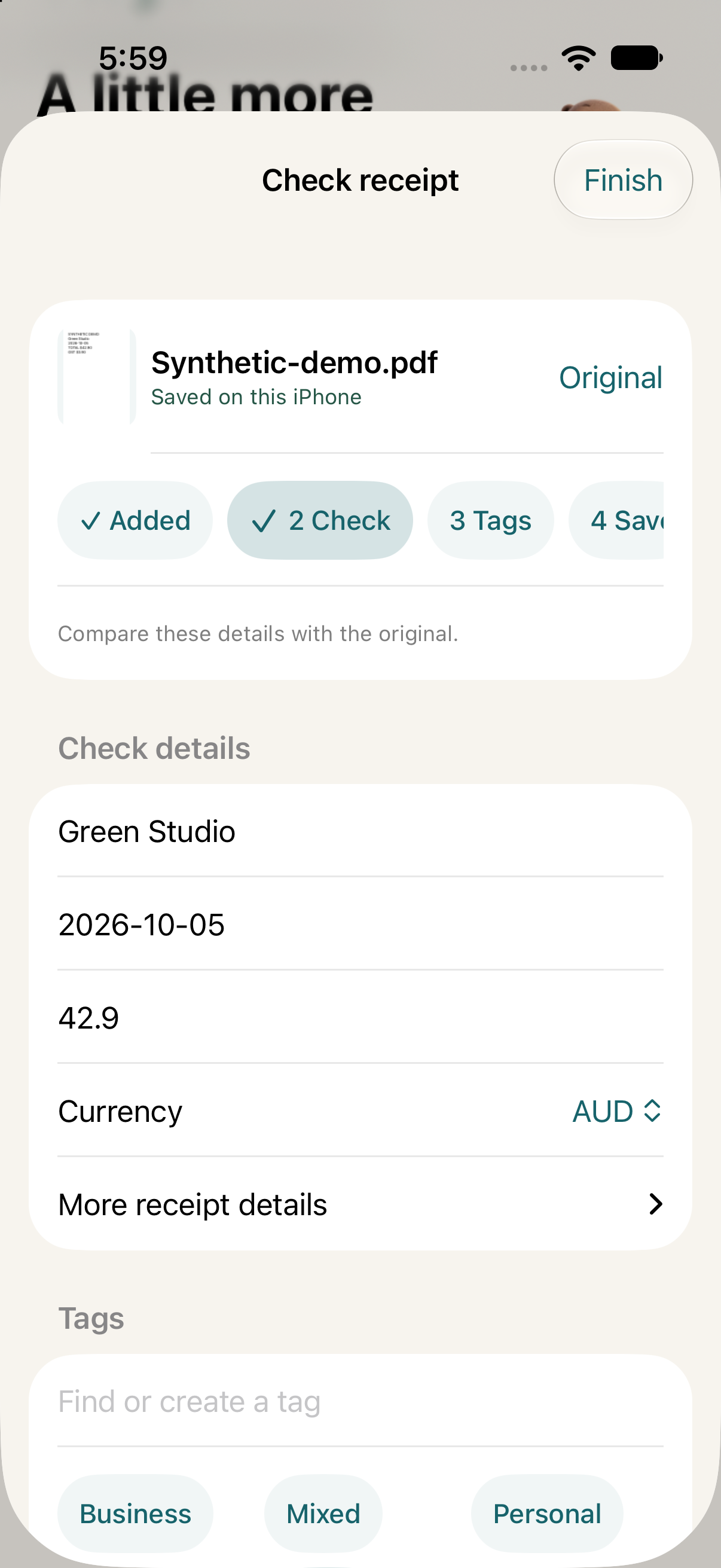
Actual iPhone beta screens captured in Apple’s simulator · Build 1 · Synthetic receipt data. Camera capture requires a compatible iPhone.
Designed to feel manageable
A consistent green interface, optional step guides and a helpful otter make the next action easier to find.
The supplied apps keep your financial library on your device. There is no developer analytics, advertising or hosted AI inside these beta apps.
Review groups and reuse tags instead of sorting the same merchant one transaction at a time.
Australian tax and BAS tools help organise information for review. Tagging a record does not establish deductibility or GST eligibility.
A few useful answers
ottiyo is being tested in a private Mac beta and an early iPhone beta. It is not yet available on the App Store. Register your interest and we’ll confirm access and current requirements. Registration does not guarantee a place or immediate download.
No. This beta uses explicit file handoff. Export a library snapshot from Mac Settings → iPhone, open it on your phone, then prepare and transfer checked receipt files back. Importing an updated Mac snapshot confirms which receipt revisions have been received.
No. ottiyo helps organise and check records. It does not lodge tax returns or BAS statements and does not provide personalised tax advice. The Australian BAS workflow currently supports cash basis preparation; accrual BAS is not supported.
Bulk tagging and merchant groups reduce repeated work. The time required depends on your files, number of records and how much needs checking. We are not publishing a timed performance claim until we have a repeatable benchmark.
Locally on the device running the app. You choose where backups and handoff files go. If you save those files in a cloud-synced folder or share them, that service’s settings apply. Read our privacy information.

A little less paperwork starts here
Interested in trying the beta or sharing what would make your paperwork easier?